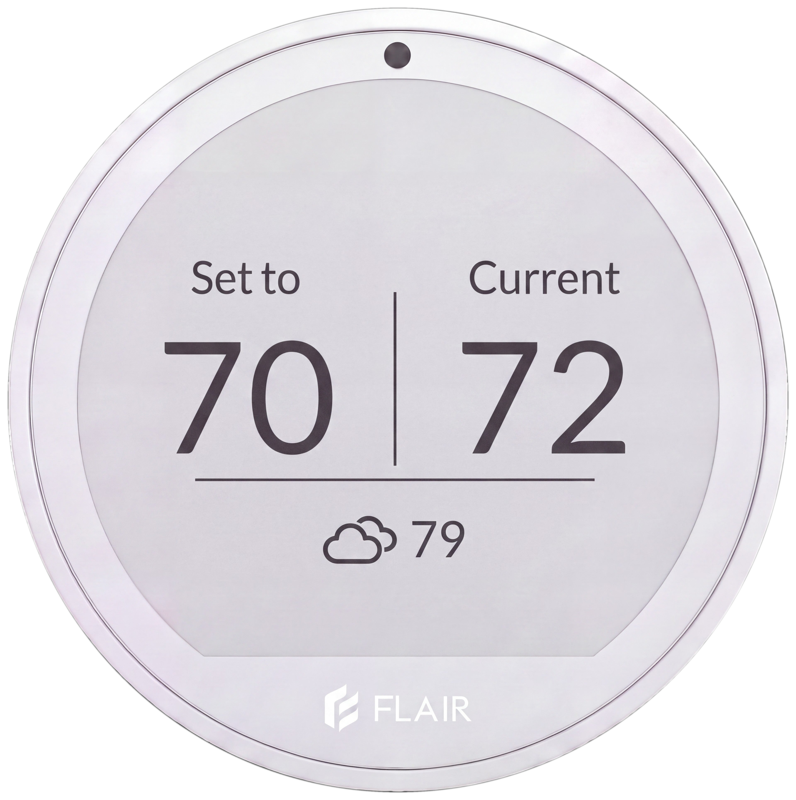

Daikin compatibility
Make your Daikin mini split smart.
Puck 2 controls Daikin wall units through their infrared remote codes, so you get app and voice control, schedules and room-level comfort without a Daikin Wi-Fi adapter.
Thousands of Daikin mini splits are already controlled by Flair.
If your Daikin mini split has a standard IR remote, Puck 2 works with it.Check your remote
Standard IR remote
Has a display that shows the settings you're sending, like temperature, mode and fan speed. Works with Puck 2.
Incremental remote
No display, or a display that only shows temperature, not mode or fan speed. Not compatible with Flair.

Your Daikin remote only knows what you tell it.
Your Daikin unit decides how warm the room is by reading the air at the unit, usually high on the wall where warm air collects. The room you're sitting in can be several degrees off, so you end up adjusting the remote again and again.
The remote also has to be in your hand to do anything. It can't run a schedule for each room, turn things down when you leave, or tell you what's happening at home while you're out.
Puck 2 sends infrared commands straight to your Daikin head unit, just like your remote, from a thermostat on the wall or table in the room you use. No wiring, and no Daikin Wi-Fi adapter.
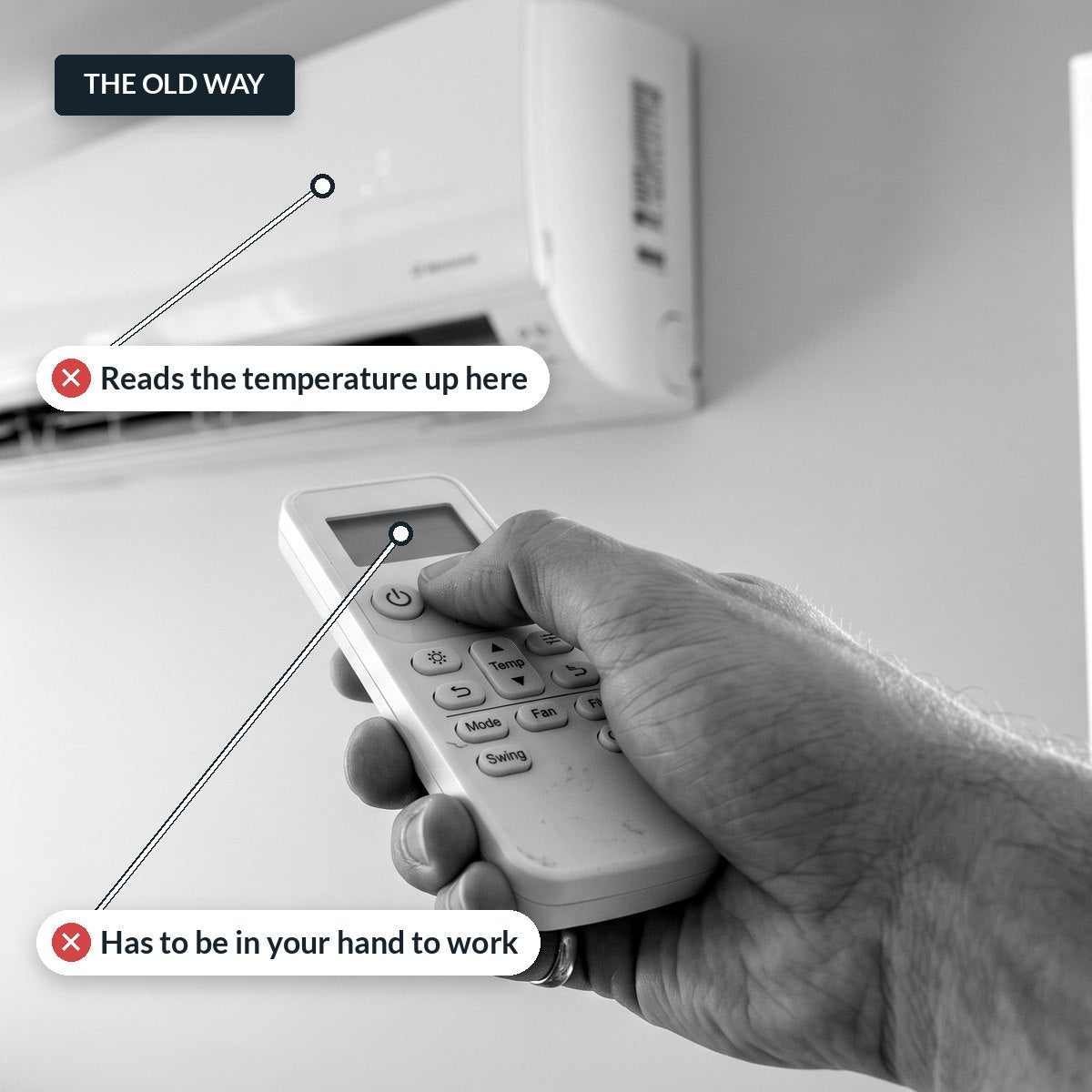
Remote vs. Puck 2
Why use Flair instead of the Daikin remote.
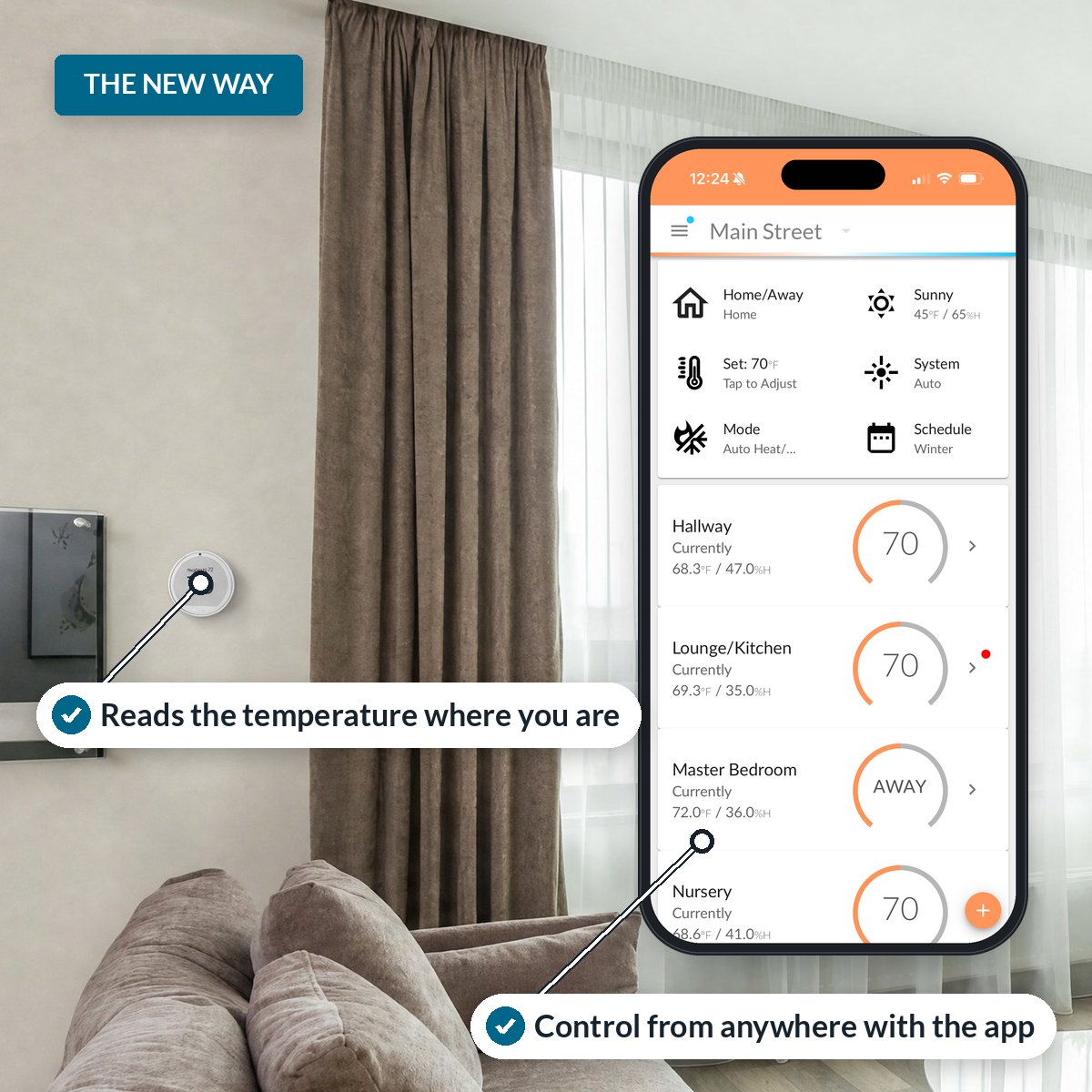
Puck 2 goes on the wall in the room you use. It reads the temperature where you are and sends infrared commands straight to your Daikin head unit, so the room gets comfortable without you reaching for anything.
Control every room from anywhere with the Flair app, or by voice. You can still turn the Puck like a thermostat. Schedules, away mode and humidity control run on their own.
| Feature | Daikin remote | Flair Puck 2 |
|---|---|---|
| Where temperature is read | At the indoor unit, often near the ceiling | Where you are, with RoomSense™ |
| Control from your phone | Not on its own | iOS, Android and web app |
| Voice control | No | Amazon Alexa and Google Assistant |
| Schedules | A basic on/off timer, at most | 7-day schedules for every room |
| When you're away | Stays on until you change it | Home/Away and Smart Away |
| Humidity | Manual dry mode | Auto Dry Mode |
| Multi-zone systems | Each head unit set separately | Head units coordinated as one system |
| Heat vs. cool conflicts | Rooms can call for opposite modes and trigger errors | One mode for the system, set by what most rooms need |
| More than one unit or home | A remote for every unit, in every room | Every unit and property in one app |
| Ducted and ductless together | Separate controls | Mini splits, Smart Vents and thermostat in one app |
| Guests and rentals | Full control of every setting | Set the range guests can choose |
Comfort where you actually are.
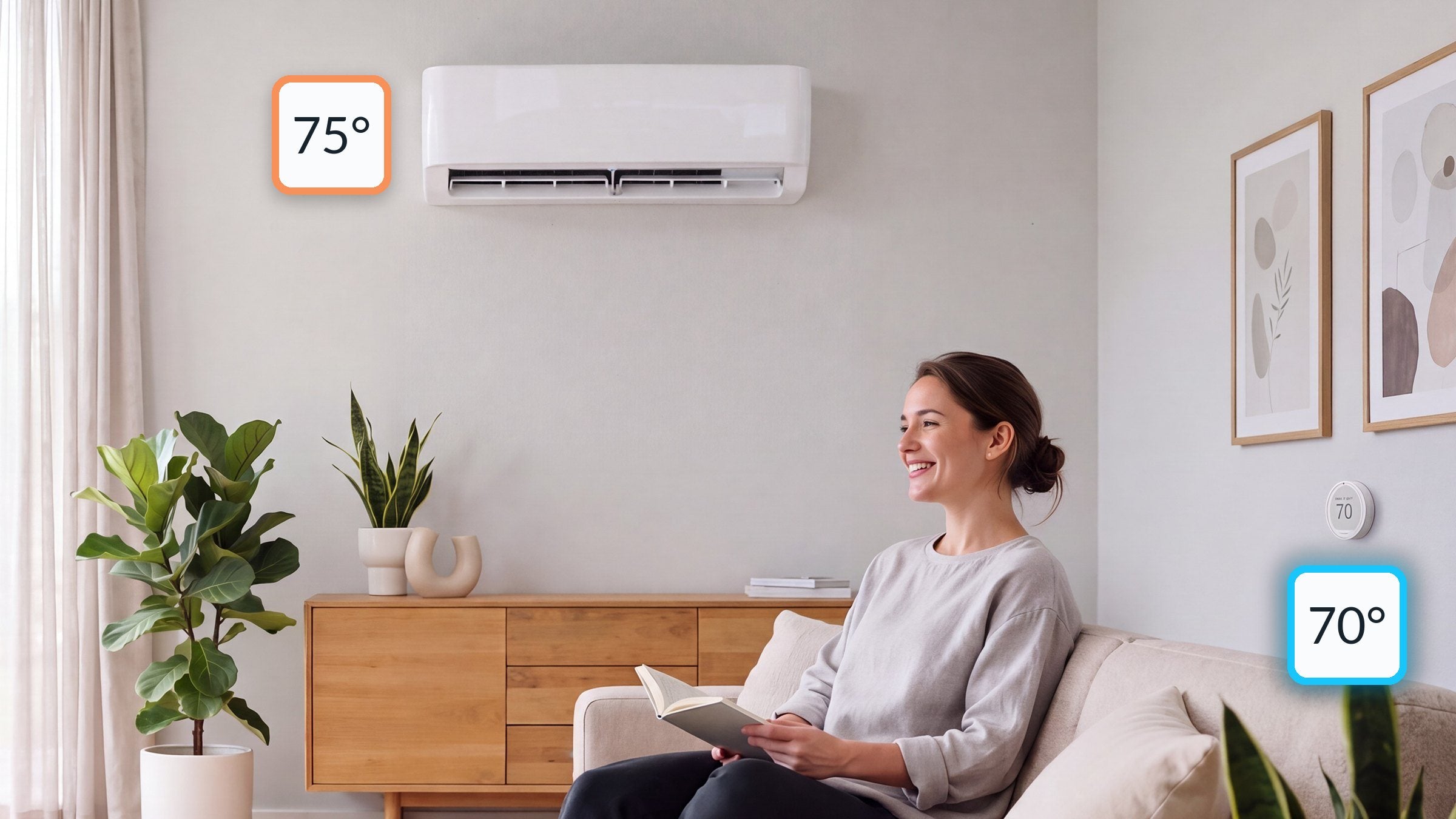
RoomSense™ reads the temperature where you sit, not up at the unit, and fine-tunes your Daikin mini split until the room matches your set point.
Place the Puck where you spend time, and the room gets comfortable instead of the ceiling.
Auto Dry Mode
When your Daikin unit supports dry mode, the Puck watches room humidity and switches to dry on its own, so summer rooms don't feel muggy.
Schedules and Smart Away
Set 7-day schedules for each room, and let Smart Away set your Daikin unit back when nobody's home.
Control from anywhere
Use the Flair app on iOS, Android or the web, or ask Amazon Alexa or Google Assistant to set the room.
No phone needed
Rotate the Puck to change the temperature, just like a thermostat. Easy for guests and anyone who doesn't use the app.
Whole-home control
Built for homes with more than one head unit.
A remote controls one unit at a time. Flair runs every mini split in the home as one system.
Multi-zone coordination
Multi-zone Daikin systems run several head units from one outdoor unit. Flair treats them as one system, so each room gets what it needs without the units working against each other.
No heat vs. cool conflicts
Head units on the same outdoor unit can't heat and cool at the same time. Group them in Flair and it picks one mode for the system, based on what most rooms need, so you avoid error codes and rooms stuck in the wrong mode.
Every unit, every property
See and control every head unit, in every room and every home or rental you manage, from one Flair account. Copy a setup from one unit to the next for faster installs.
Ductless and central in one app
Run your mini splits alongside Flair Smart Vents and your thermostat in the same app, with Mini Split Mirror Mode™ keeping them in step.
Have Daikin central heating and cooling too?
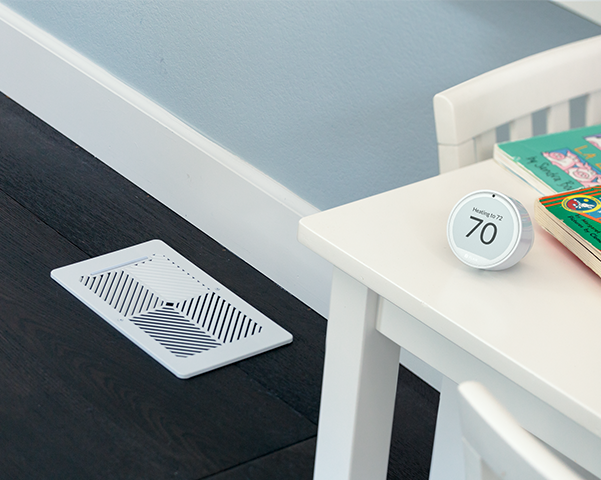
Flair Smart Vents work with your ducted Daikin system. They open and close room by room to send air where it's needed, so you stop overheating one room to fix another.
With Mini Split Mirror Mode™, your mini split follows your smart thermostat's settings, so the whole home runs on one plan.
Compatibility
Example Daikin remotes that work with Flair.
These are examples, not a complete list. If your Daikin remote is a standard IR remote with a display that shows your settings, Puck 2 can control it, even if your model isn't shown here.
275+ brands · 6,000+ OEM IR remotes
Example Daikin remotes: ARC452A21, ARC480A8, ARC466A18, ARC466A36, ARC466A12, ARC466A4, ARC452A23
More example Daikin remotesShow allHide
1655326, 1655535, 1D2U, 3P605270-1, A75C2121, A75C2123, ARC403A3, ARC406A1, ARC408A9, ARC412B4, ARC416A, ARC417A1, ARC423A13, ARC423A18 163Q, ARC423A5, ARC433A1, ARC433A100, ARC433A15, ARC433A22, ARC433A26, ARC433A49, ARC433A55, ARC433A75, ARC433A83, ARC433A90, ARC433A93, ARC433A95 272Q, ARC433A99, ARC433B41 8D1Q, ARC433B41 8N3Q, ARC433B46, ARC433B47, ARC433B70, ARC433B71, ARC445A2, ARC447A1, ARC447A3, ARC452A14, ARC452A19, ARC452A21, ARC452A23, ARC452A9, ARC455A1, ARC456A34, ARC466A12, ARC466A18, ARC466A36, ARC466A4, ARC469A5, ARC470A11, ARC472A13 2927, ARC472A22, ARC472A33, ARC472A42, ARC478A19, ARC480A1, ARC480A4, ARC480A5, ARC480A6, ARC480A7, ARC480A8, ARC480A9, BRC4A155, BRC4C151, BRC4C153, BRC4C155, BRC4C156, BRC4C157, BRC4C158, BRC4C163, BRC4L165, BRC52A61/61/62, BRC52A62, BRC52A63, BRC52B61, BRC52B62, BRC52B63, BRC52B64, BRC52B65, BRC7EA618, BRC7EA619, BRC937A603, ECGS01, KRC 113-1, KRC113-2, R04089046641, iAPGS02
Daikin is a trademark of its respective owner. Flair is not affiliated with or endorsed by Daikin.
Loan us your remote and we'll set it up.
If your brand is missing from our compatibility section, or you want to check a specific model, we will help you identify brands with matching code sets or make sure we get your brand added to our database.
FAQ
Questions about Flair and Daikin.
Does Flair work with Daikin mini splits?
Do I need the Daikin Wi-Fi adapter?
Which Daikin remotes work with Flair?
How do I know if my remote will work?
How many Pucks do I need?
Do I need a Flair Bridge?
Can Flair control a multi-zone Daikin system?
Can I manage mini splits in more than one home?
Will my Daikin remote still work?
Does Flair work with my Daikin central system too?
Get one
Make your Daikin mini split smart.
One Puck 2 per indoor unit. No wiring, and no Daikin Wi-Fi adapter.
Puck 2
The wireless thermostat and room sensor for ductless systems and Smart Vent zoning. One per indoor unit.
SHOP PUCK 2 →